ScreenClipr is a fast, native screenshot and screen-recording app for Mac — capture, annotate, and organize in seconds, without the bloat.
Free for 7 days, full access. $9.99/year after your trial. Cancel anytime.
Why people switch to ScreenClipr
ScreenClipr focuses on the capture-to-share workflow — fast, native, and out of your way.
Region, window, or full screen — plus scrolling capture for long pages, all from one global shortcut.
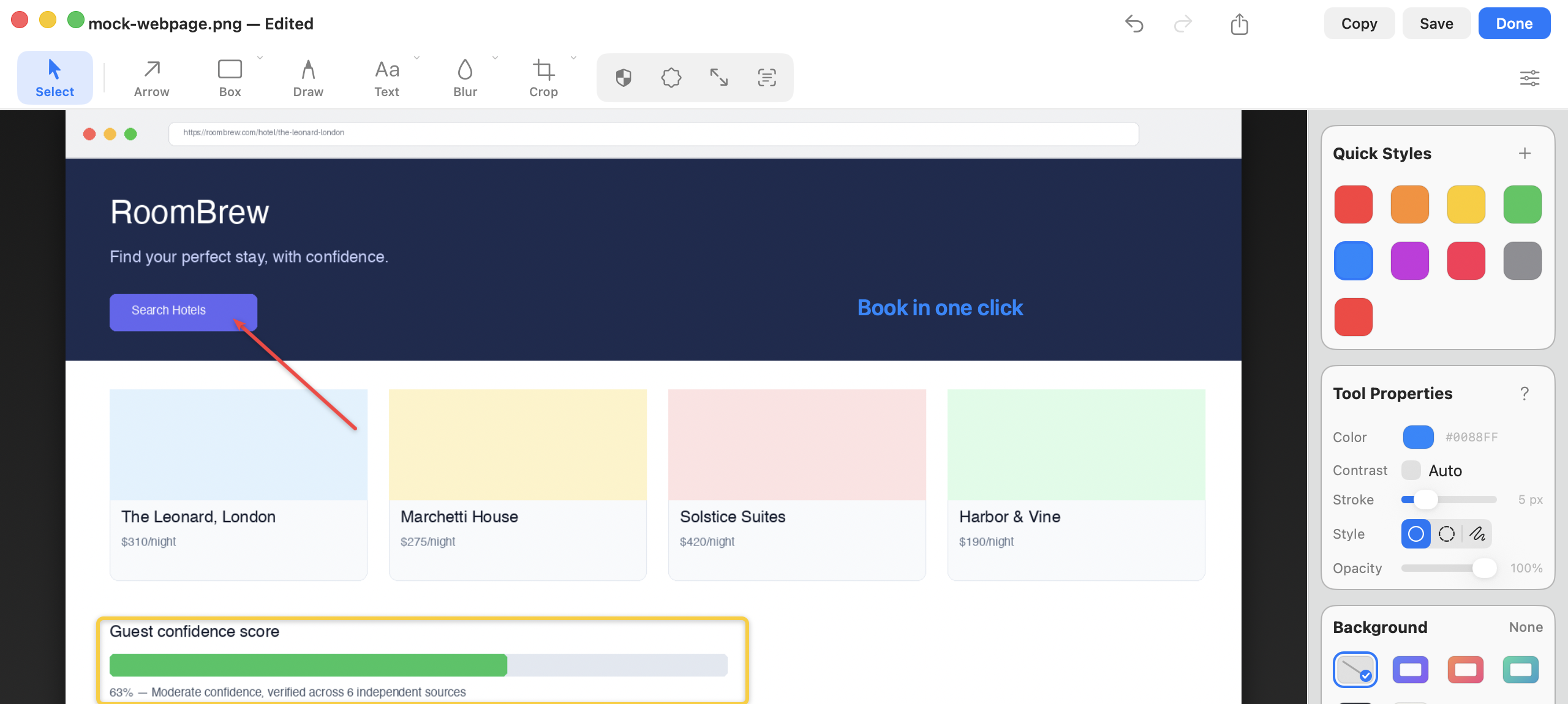
Arrows, shapes, callouts, blur/redact, and step numbers — a real editor, not an afterthought.
Every capture is OCR-indexed and searchable by the text inside it, not just the filename.
Draw, redact, and label directly on your capture. Quick Styles remember your favorite colors so every annotation matches your last one.
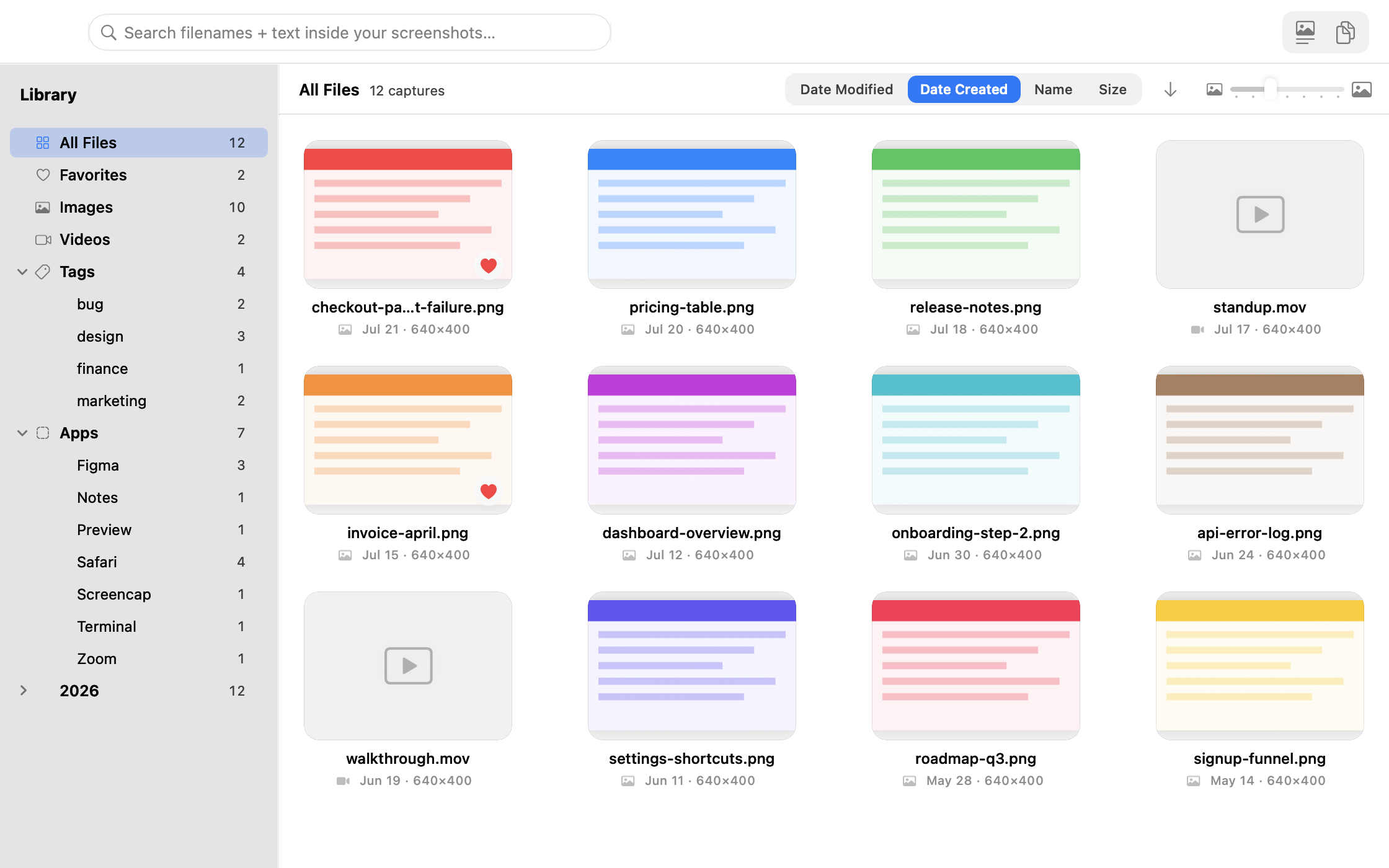
Every screenshot and recording lands in a fast, searchable library — filter by tag, source app, or favorite, and find last month's capture in seconds.
No feature gates, no tiers to compare. Try it free for a full week, then $9.99/year.
$9.99
per year
No charge for 7 days. We'll remind you before your trial ends. Cancel anytime — no questions asked.
An honest look at the leading Mac screenshot tools — including where we don't win.
| App | ScreenClipr | TechSmith Snagit | CleanShot X | Shottr | ShareX |
|---|---|---|---|---|---|
| Price | $9.99/yr Cheapest subscription |
$39/yr | $35 one-time (or ~$120/yr cloud plan) | Pay-what-you-want (incl. $0) | Free |
| Platform | macOS | macOS & Windows | macOS only | macOS only | Windows only |
| Free trial | 7 days, full access | 15 days | 30-day money-back guarantee | Free indefinitely | Free forever |
| Screenshot & annotation | ✓ | ✓ | ✓ | ✓ | ✓ |
| Screen recording | ✓ | ✓ | ✓ | — | ✓ |
| Searchable, OCR'd library | ✓ | ✓ | Cloud tier only | — | — |
| Native, lightweight app | ✓ | Heavier, cross-platform | ✓ | ✓ | ✓ |
Pricing verified directly from each vendor's site, September 2026. We're proud to undercut the leading subscription tool (Snagit) by nearly 4×. In fairness: Shottr is pay-what-you-want and can be used for $0, and ShareX is free and open-source — but Windows-only, so it isn't a Mac alternative. Among paid, Mac-native, subscription screenshot tools with a full annotation and library suite, ScreenClipr is the lowest-cost option.
Full access, no credit card tricks. $9.99/year after your trial — cancel anytime.
Download Free — 7-Day Trial Screen